Web3系统学习系列05-Web3j基础:Web3j 入门实战(Day 6-7)
这两天你会第一次把:
真正串起来。
你会明显感觉:
“哦,原来 Java 也能像后端系统一样操作链上数据。”
一、先理解:Web3j 到底是什么?
你可以把:
| Web2 世界 |
Web3 世界 |
| JDBC |
Web3j |
| MySQL |
Ethereum 节点 |
| SQL 查询 |
JSON-RPC |
| 表 |
智能合约 |
| INSERT/SELECT |
调用合约函数 |
Web3j 的本质
Web3j 是:
Java 操作 Ethereum 的 SDK
它帮你:
- 调用 RPC
- 发交易
- 调合约
- 监听事件
- 签名交易
- 编码 ABI
官方文档:
Web3j 官方文档
GitHub:
Web3j GitHub
二、今天最终会做到什么?
今天结束你会得到:
1
2
3
4
5
6
7
| Connected to Ethereum client version: ...
ETH Balance: ...
USDT Balance: ...
Transfer Event:
from=...
to=...
amount=...
|
并且:
1
| git commit -m "first web3j demo"
|
这是你第一个真正的链上 Java 程序。
三、准备工作
Step 1:创建 SpringBoot 项目
建议:
- Java 17
- Maven
- SpringBoot 3.x
项目名:
目录结构:
1
2
3
| web3j-demo
├── src
├── pom.xml
|
Step 2:添加 Web3j 依赖
打开 pom.xml
加入:
1
2
3
4
5
6
7
8
9
10
11
12
13
14
15
16
17
| <dependencies>
<dependency>
<groupId>org.web3j</groupId>
<artifactId>core</artifactId>
<version>4.12.3</version>
</dependency>
<dependency>
<groupId>org.slf4j</groupId>
<artifactId>slf4j-simple</artifactId>
<version>2.0.13</version>
</dependency>
</dependencies>
|
为什么要加 slf4j-simple?
因为:
不加的话:
1
| SLF4J: No provider found
|
你后面会经常见。
四、连接 Ethereum 节点
Step 3:注册 RPC 节点
你需要一个 Ethereum 节点。
一般不会自己部署。
而是使用:
| 服务商 |
特点 |
| Infura |
最老牌 |
| Alchemy |
开发体验最好 |
推荐:
用 Alchemy
官网:
Alchemy 官网
为什么必须有 RPC?
因为:
1
2
3
4
5
6
7
| Java 程序
↓
HTTP JSON-RPC
↓
Ethereum Node
↓
区块链
|
你的程序本身不是节点。
它只是:
“远程调用节点 API”
Step 4:创建 Sepolia App
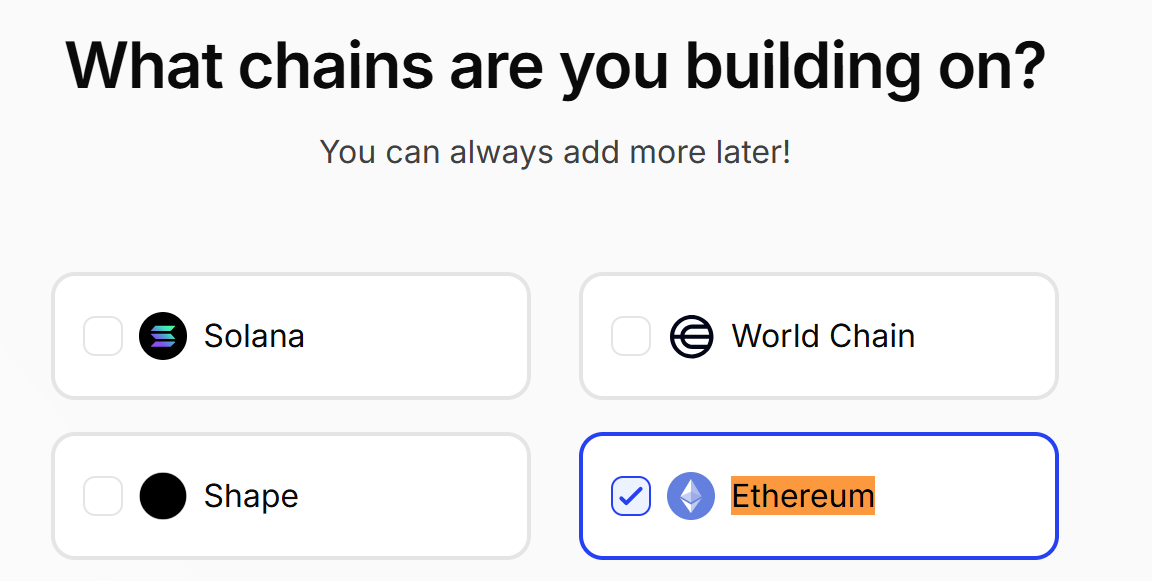
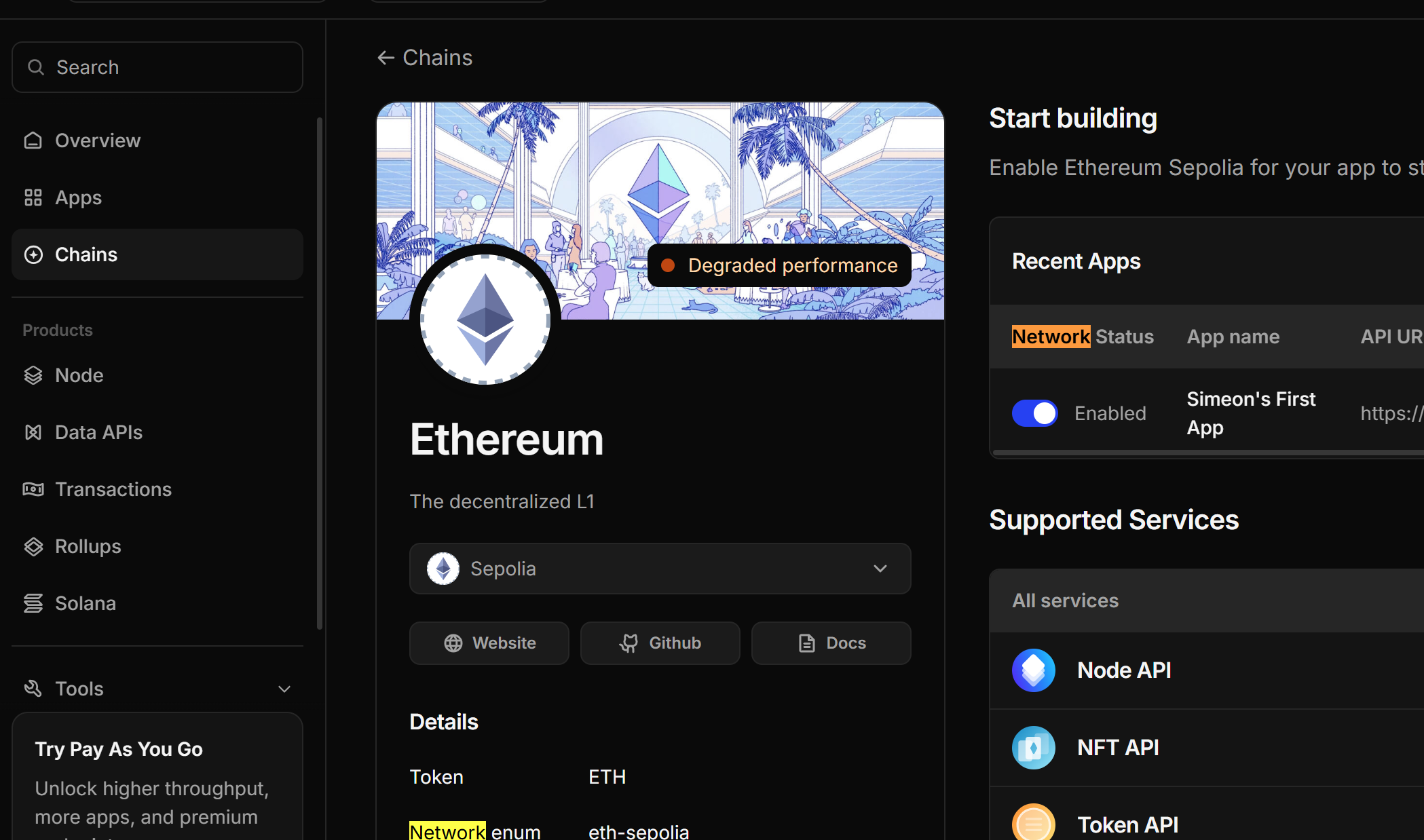
在 Alchemy:
创建:
1
2
3
4
5
| Chain:
Ethereum
Network:
Sepolia
|
你会拿到:
1
| https://eth-sepolia.g.alchemy.com/v2/xxxxx
|
这就是 RPC Endpoint。
五、第一次连接链
Step 5:写代码
创建:
1
2
3
4
5
6
7
8
9
10
11
12
13
14
15
16
17
18
19
20
21
22
23
24
25
| package com.example.web3jdemo;
import org.web3j.protocol.Web3j;
import org.web3j.protocol.http.HttpService;
public class ConnectDemo {
public static void main(String[] args) throws Exception {
String rpcUrl = "你的RPC";
Web3j web3j = Web3j.build(
new HttpService(rpcUrl)
);
String clientVersion =
web3j.web3ClientVersion()
.send()
.getWeb3ClientVersion();
System.out.println(
"Connected to: " + clientVersion
);
}
}
|
为什么这样写?
1)HttpService
表示:
本质:
2)Web3j.build()
相当于:
类似:
3)web3ClientVersion()
RPC 方法:
Ethereum 节点标准 API。
Step 6:运行
如果成功:
1
| Connected to: erigon/...
|
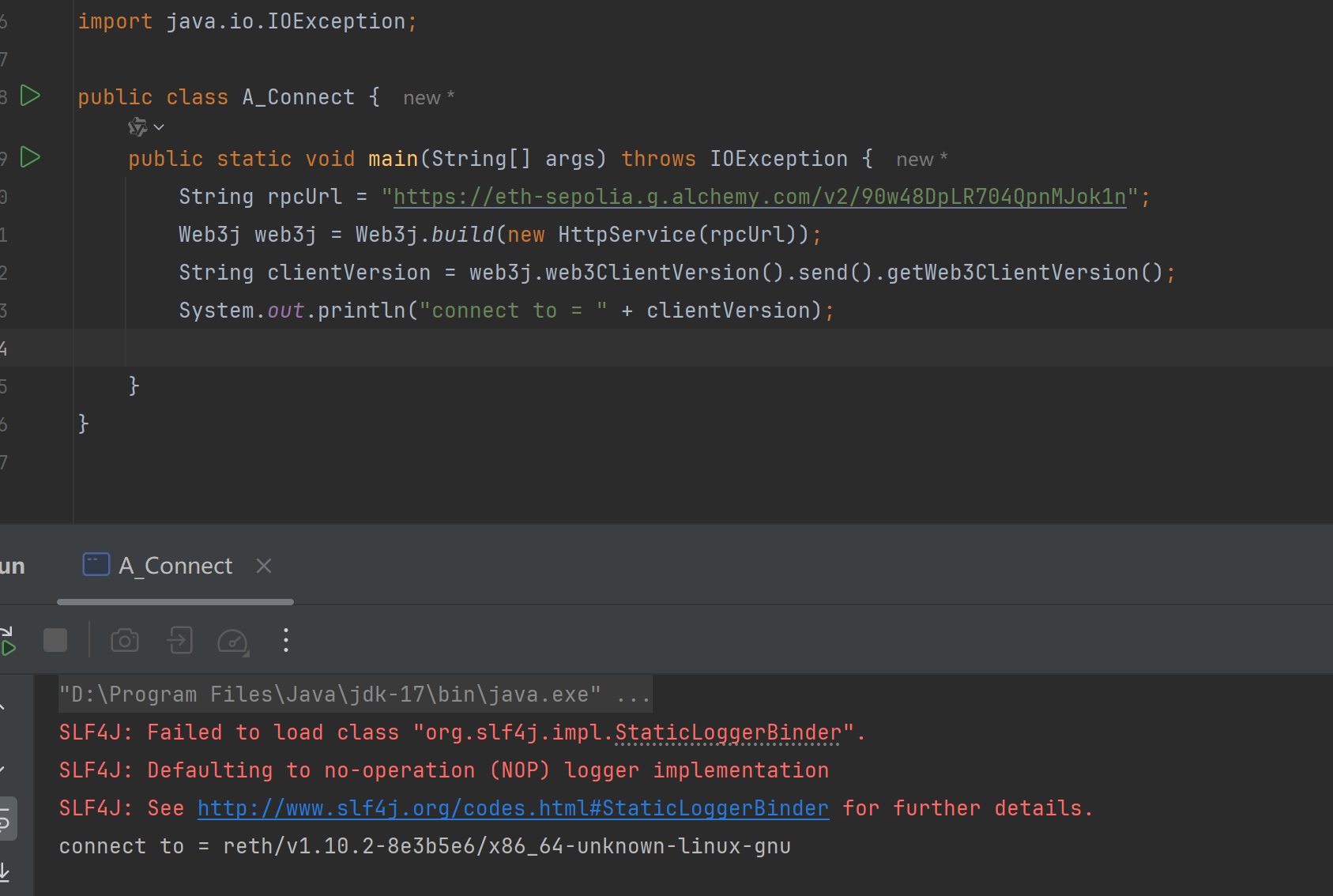
说明:
✅ Java 成功连接区块链节点
六、读取 ETH 余额
Step 7:获取钱包余额
然后:
1
2
3
4
5
6
7
8
9
10
11
12
13
14
15
16
17
18
19
20
21
22
23
24
25
26
27
28
29
30
31
32
33
| package cn.zm.web3j;
import java.io.IOException;
import java.math.BigDecimal;
import java.math.BigInteger;
import org.web3j.protocol.Web3j;
import org.web3j.protocol.http.HttpService;
import org.web3j.utils.Convert;
import org.web3j.protocol.core.DefaultBlockParameterName;
public class B_Wallet {
public static void main(String[] args) throws IOException {
String rpcUrl = "https://eth-sepolia.g.alchemy.com/v2/90w48DpLR704QpnMJok1n";
String address = "0x872dA44EFd79a834Cb8541776277742974181018";
Web3j web3j = Web3j.build(new HttpService(rpcUrl));
BigInteger balanceWei = web3j.ethGetBalance(
address,
DefaultBlockParameterName.LATEST
).send().getBalance();
BigDecimal eth = Convert.fromWei(
balanceWei.toString(),
Convert.Unit.ETHER
);
System.out.println("ETH Balance: " + eth);
}
}
|
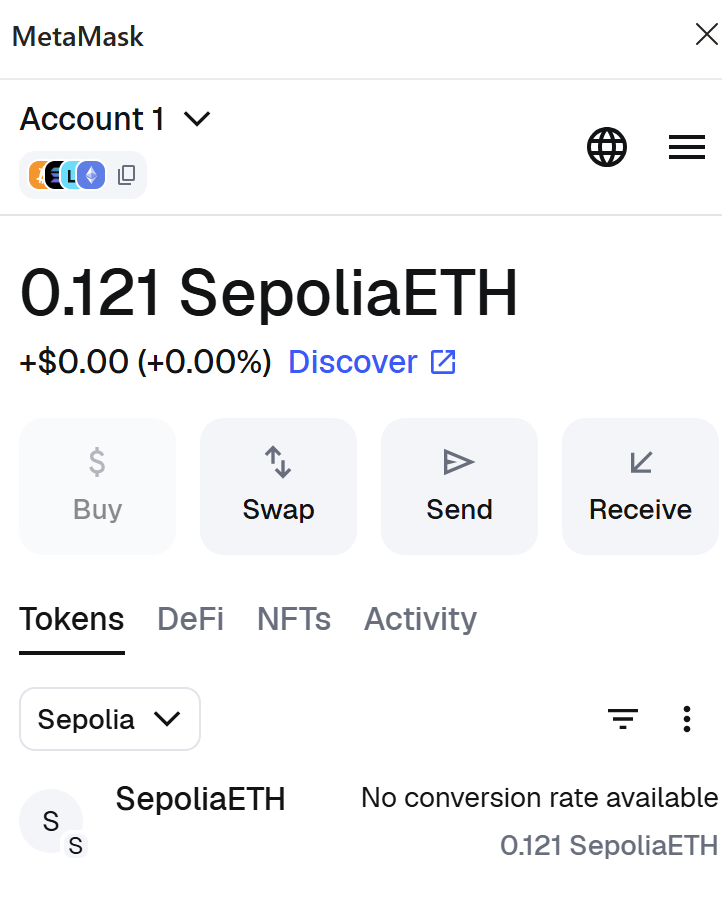
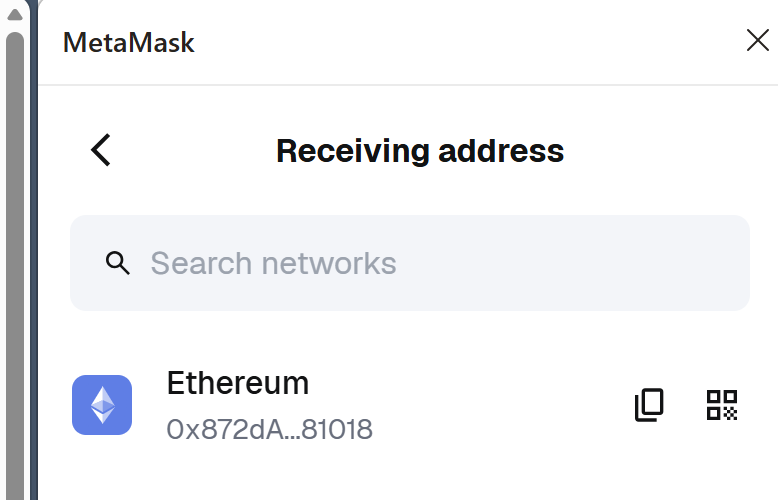
钱包地址来源 metamask: 点击receive-> 点击eth
为什么 ETH 要转换?
因为链上:
链上永远只存:
不会存小数。
所以:
1
| BigInteger -> BigDecimal
|
是 Web3 非常经典的操作。
七、读取 ERC-20 余额
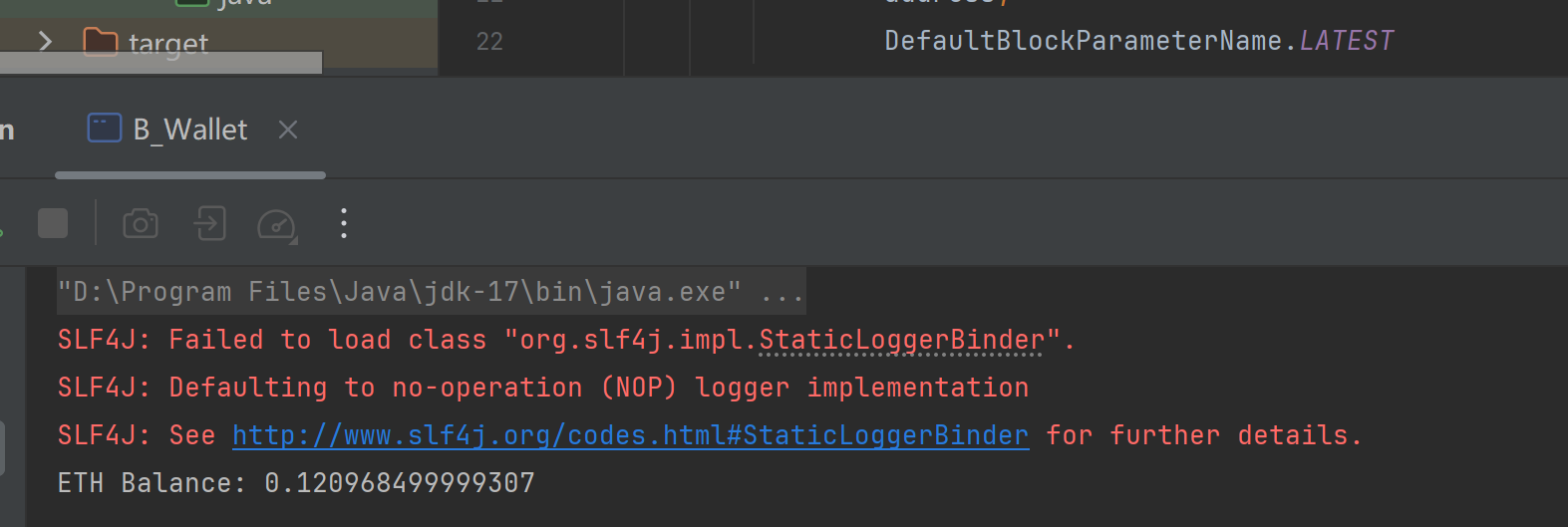
这里开始:
真正接触智能合约调用
ERC-20 balanceOf 本质
你之前学过:
1
2
3
4
| function balanceOf(address user)
public
view
returns (uint256)
|
现在:
Java 要远程调用它。
Step 8:准备 USDT 合约地址
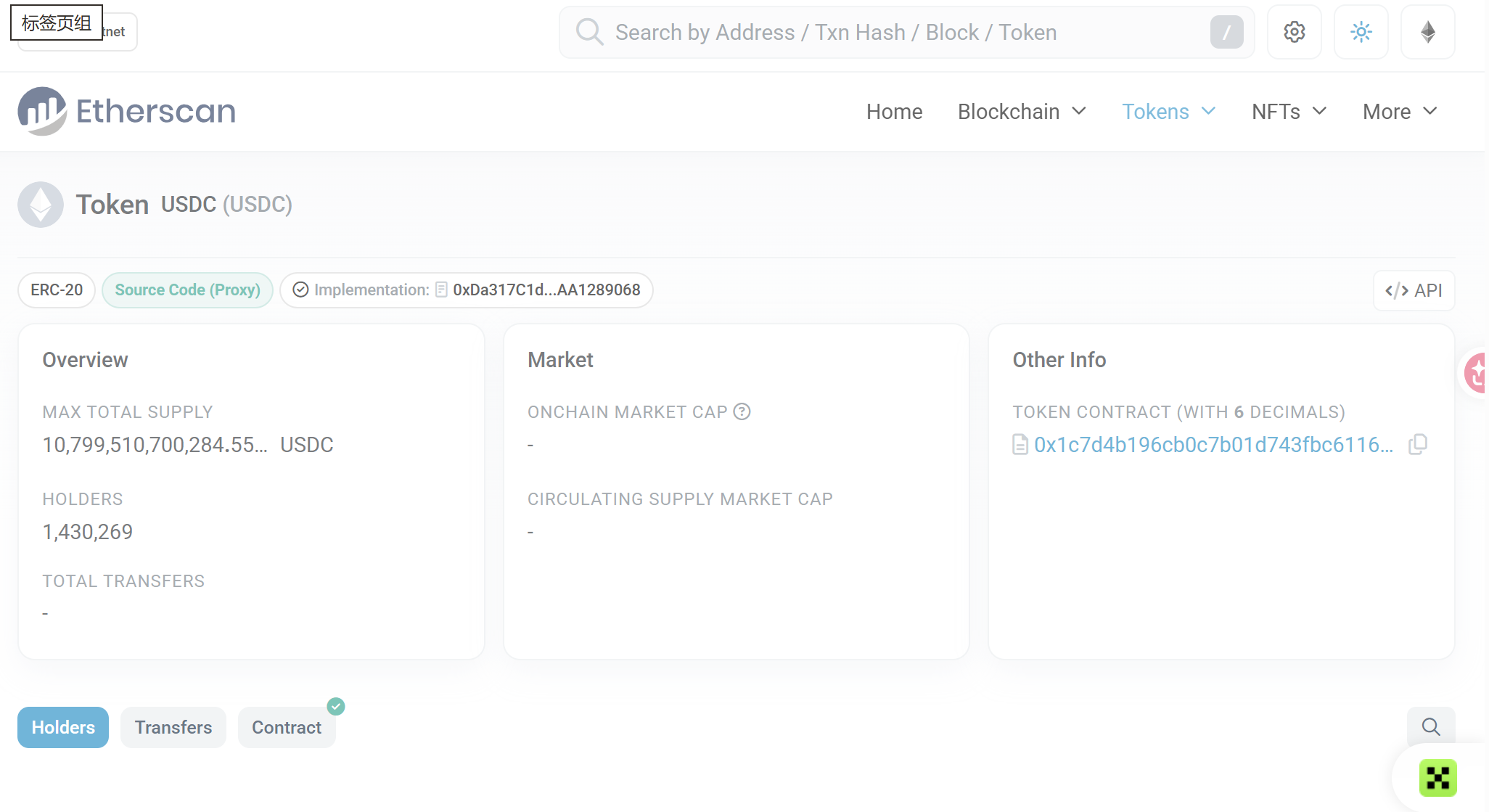
Sepolia 上找一个 ERC20 测试币即可。
例如:
你可以去:
Sepolia Etherscan
搜索:
找到一个测试 ERC20。
ERC-20 Token | Address: 0x1c7d4b19…2379c7238 | Etherscan Sepolia
Step 9:Java 调用 balanceOf
新增:
1
2
3
4
5
6
7
8
9
10
11
12
13
| import org.web3j.abi.FunctionEncoder;
import org.web3j.abi.FunctionReturnDecoder;
import org.web3j.abi.TypeReference;
import org.web3j.abi.datatypes.Function;
import org.web3j.abi.datatypes.Address;
import org.web3j.abi.datatypes.generated.Uint256;
import org.web3j.protocol.core.methods.request.Transaction;
import org.web3j.protocol.core.methods.response.EthCall;
import java.util.Arrays;
import java.util.List;
|
构造 balanceOf 调用
1
2
3
4
5
6
7
| String contractAddress = "ERC20合约地址";
Function function = new Function(
"balanceOf",
Arrays.asList(new Address(address)),
Arrays.asList(new TypeReference<Uint256>() {})
);
|
为什么这么复杂?
因为:
Ethereum 底层根本不知道:
它只认识:
所以:
必须:
编码函数
1
| String encoded = FunctionEncoder.encode(function);
|
得到:
这就是:
ABI 编码后的 EVM 调用数据
发起 eth_call
1
2
3
4
5
6
7
8
| EthCall response = web3j.ethCall(
Transaction.createEthCallTransaction(
address,
contractAddress,
encoded
),
DefaultBlockParameterName.LATEST
).send();
|
为什么不用 Gas?
因为:
不会修改链状态。
节点本地模拟执行即可。
解码结果
1
2
3
4
5
6
7
8
9
10
| List<org.web3j.abi.datatypes.Type> results =
FunctionReturnDecoder.decode(
response.getValue(),
function.getOutputParameters()
);
BigInteger tokenBalance =
(BigInteger) results.get(0).getValue();
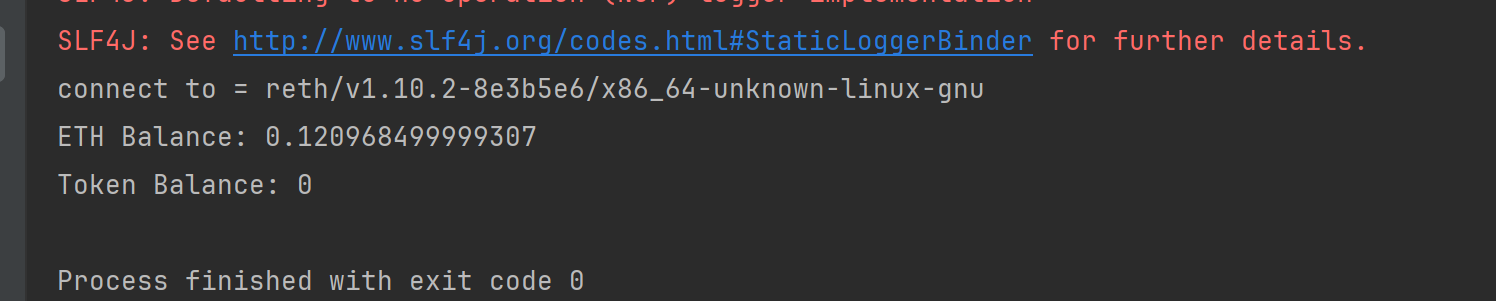
System.out.println("Token Balance: " + tokenBalance);
|
总体代码
1
2
3
4
5
6
7
8
9
10
11
12
13
14
15
16
17
18
19
20
21
22
23
24
25
26
27
28
29
30
31
|
String contractAddress = "0x1c7D4B196Cb0C7B01d743Fbc6116a902379C7238";
Function function = new Function(
"balanceOf",
Arrays.asList(new Address(contractAddress)),
Arrays.asList(new TypeReference<Uint256>() {})
);
String encoded = FunctionEncoder.encode(function);
EthCall response = web3j.ethCall(
        Transaction.createEthCallTransaction(
                address,
                contractAddress,
                encoded
        ),
        DefaultBlockParameterName.LATEST
).send();
List<org.web3j.abi.datatypes.Type> results =
        FunctionReturnDecoder.decode(
                response.getValue(),
                function.getOutputParameters()
        );

BigInteger tokenBalance =
        (BigInteger) results.get(0).getValue();

System.out.println("Token Balance: " + tokenBalance);
|